
Ask about your library
Ask (⌘0) answers questions about episodes, listening history, bookmarks, and Up Next. It needs the 30-day AI trial or an AI license, and an installed language model. Before either, Ask shows a card to start the trial, buy a license or enter a key; then it offers the model download.
Ask a question
Section titled “Ask a question”- Open Ask and type a question, such as “What did I bookmark?”
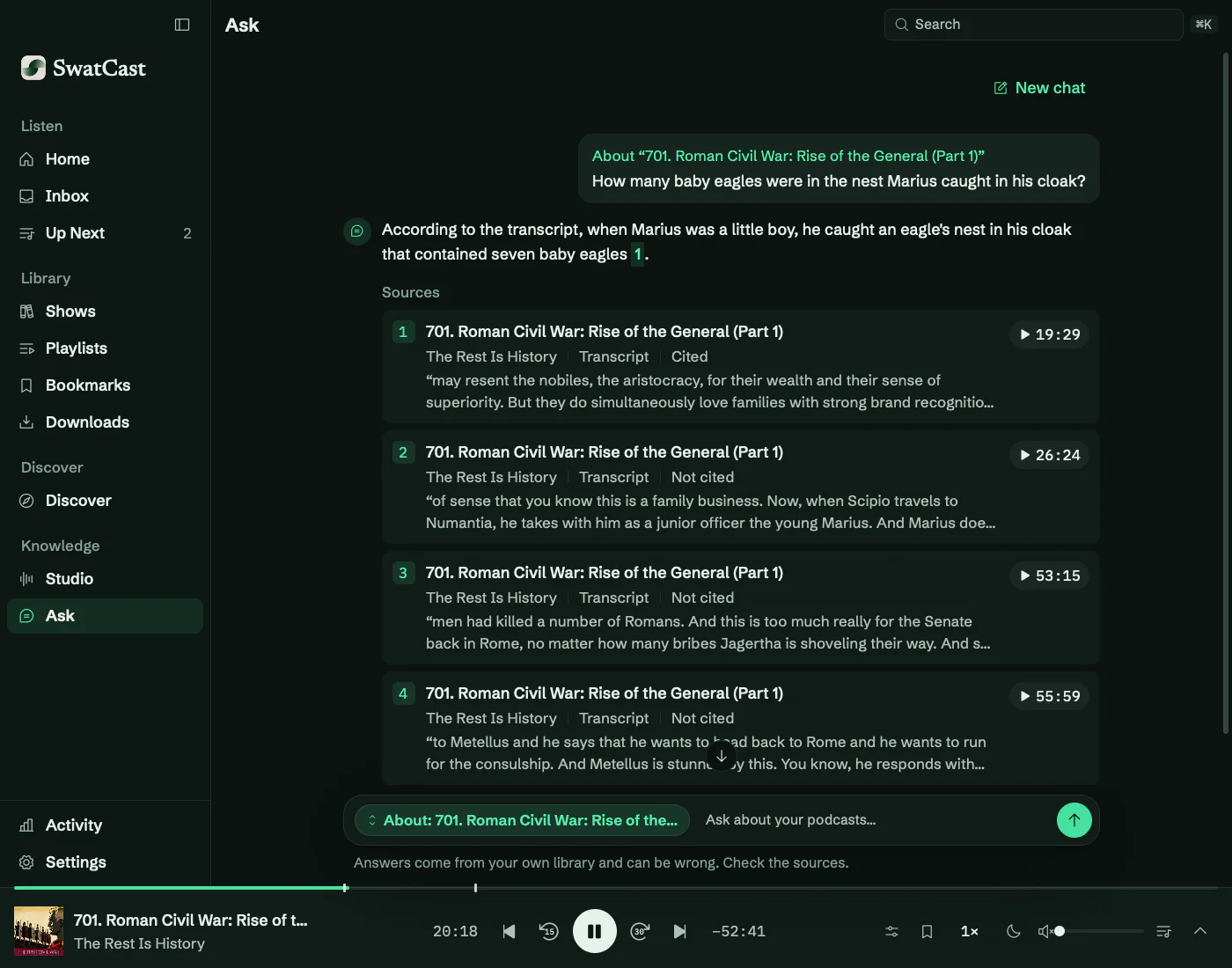
- Name an episode when your question concerns a specific one. When an episode is in the player, playing or paused, the button at the left of the question box shows what Ask looks at: Whole library, or only that episode (About: and its title). Click it to switch between the two.
- Ask a short follow-up to continue the subject.
Answers are generated on your Mac. Research uses transcript passages and publisher show notes, not generated summaries.
Check an answer
Section titled “Check an answer”Select a numbered citation to open its source. A timestamped source plays from that moment. Up to four source cards may appear; library facts and conversational replies may have none.
Citation checks can remove unsupported references, but answers can still misread a passage or cite the wrong source. Check important details against the audio.
Conversation history
Section titled “Conversation history”The chat lasts until you quit the app. Your bookmarks and transcripts remain in the library. If the trial ends while Ask is open, the conversation stays on screen; only new questions need a license.
Use Search when you want matching passages directly.