
Open Now Playing
Select the title on the player or press ⇧⌘P to open Now Playing.
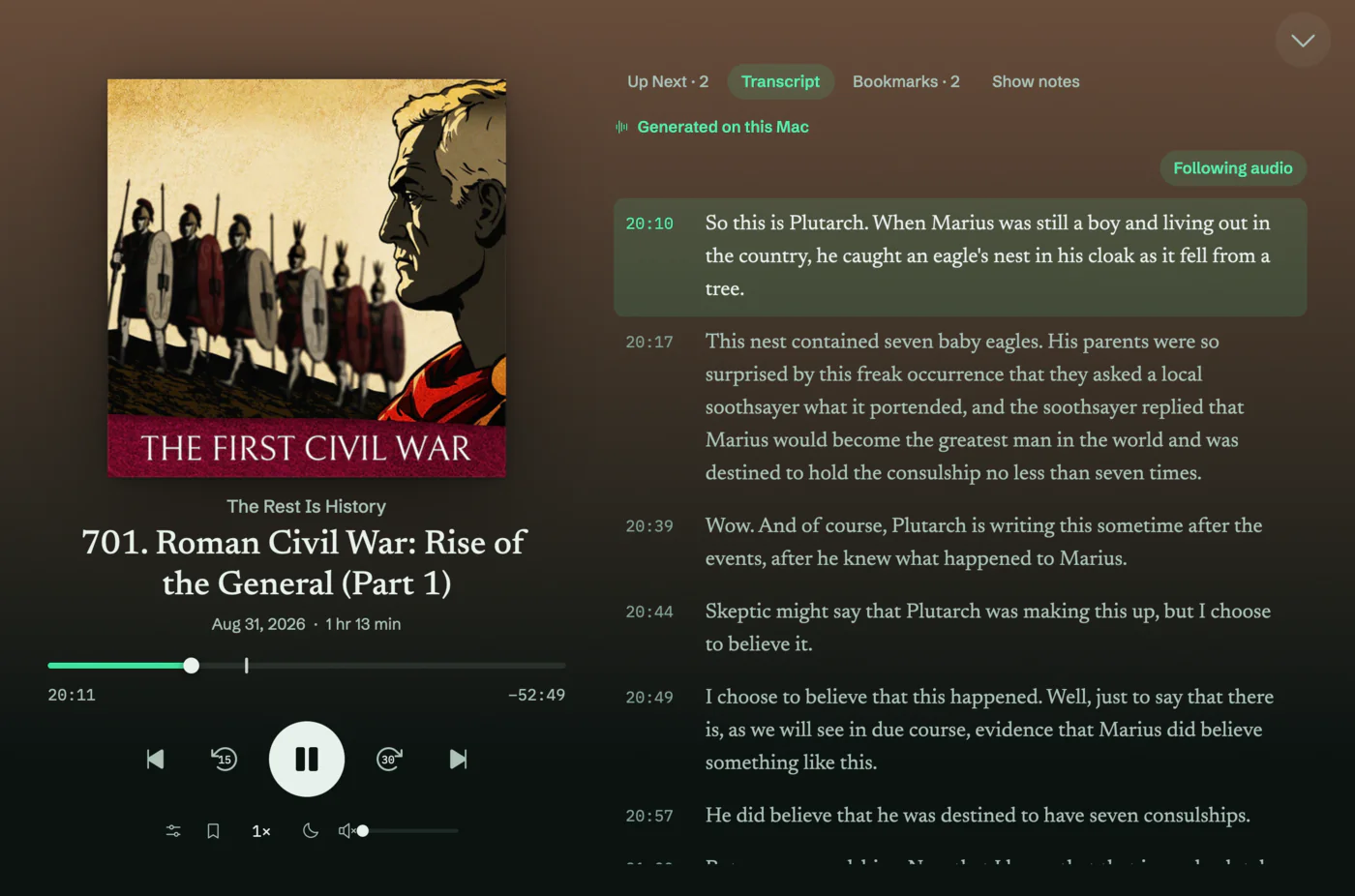
Choose a tab
Section titled “Choose a tab”- Up Next: the queue and any playlist session.
- Chapters: available when the episode provides chapters.
- Transcript: publisher or generated text. With neither, it offers Transcribe, or Set up in Studio when the speech model isn’t installed.
- Bookmarks: saved moments in this episode.
- Show notes: the publisher’s episode notes.
Timed transcript lines seek when selected. Untimed text can be read but cannot follow playback. See Transcripts.
Save or navigate
Section titled “Save or navigate”Press ⌘B to bookmark a moment. Marks appear on the scrubber. ⌥⌘← and ⌥⌘→ move between chapters when available.
Now Playing also shows the artwork, playback controls, current chapter, and time saved by Silence Skip.
Press Esc to return to the screen underneath. Playback continues. With Reduce motion on in macOS System Settings → Accessibility → Display, Now Playing opens without sliding up.