
Shorten pauses with Silence Skip
Silence Skip shortens pauses. It is not ad skipping.
Choose a strength
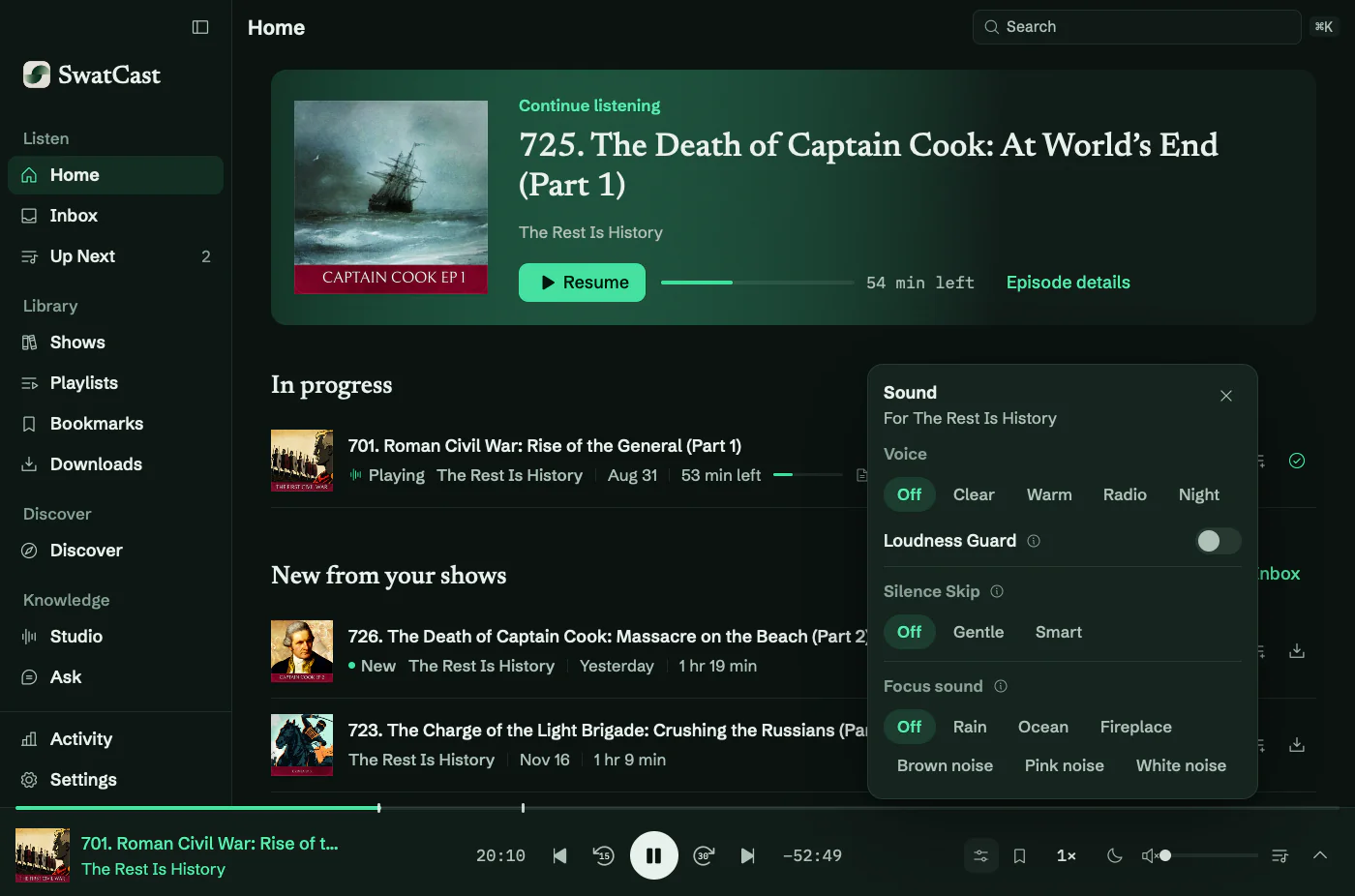
Section titled “Choose a strength”Open Sound on the player, or Settings → Playback → Silence Skip.
| Setting | Effect |
|---|---|
| Off | Keep original timing |
| Gentle | Shorten unusually long pauses |
| Smart | Shorten more noticeable pauses |
Processing is designed to preserve quiet speech and music. Joins are faded to avoid clicks, and the playhead advances by the audio removed.
A tightly edited show may save no time on Gentle. Now Playing shows episode time saved; Activity can show the total for the period you pick.
Remember per show
Section titled “Remember per show”The Sound panel saves the choice for the current show. Reset restores defaults; Use for all shows makes the current sound setup the default. Show Preferences also has a Silence Skip override.
If speech or music sounds cut, turn Silence Skip off and compare. See audio troubleshooting.