
Read a transcript
Local transcripts work in English and 24 other European languages, including Spanish, French, German, Italian and Portuguese; the language is recognized by itself. Other languages, such as Chinese, Japanese or Arabic, aren’t supported. In other languages the model occasionally drifts into English for a sentence, especially over music.
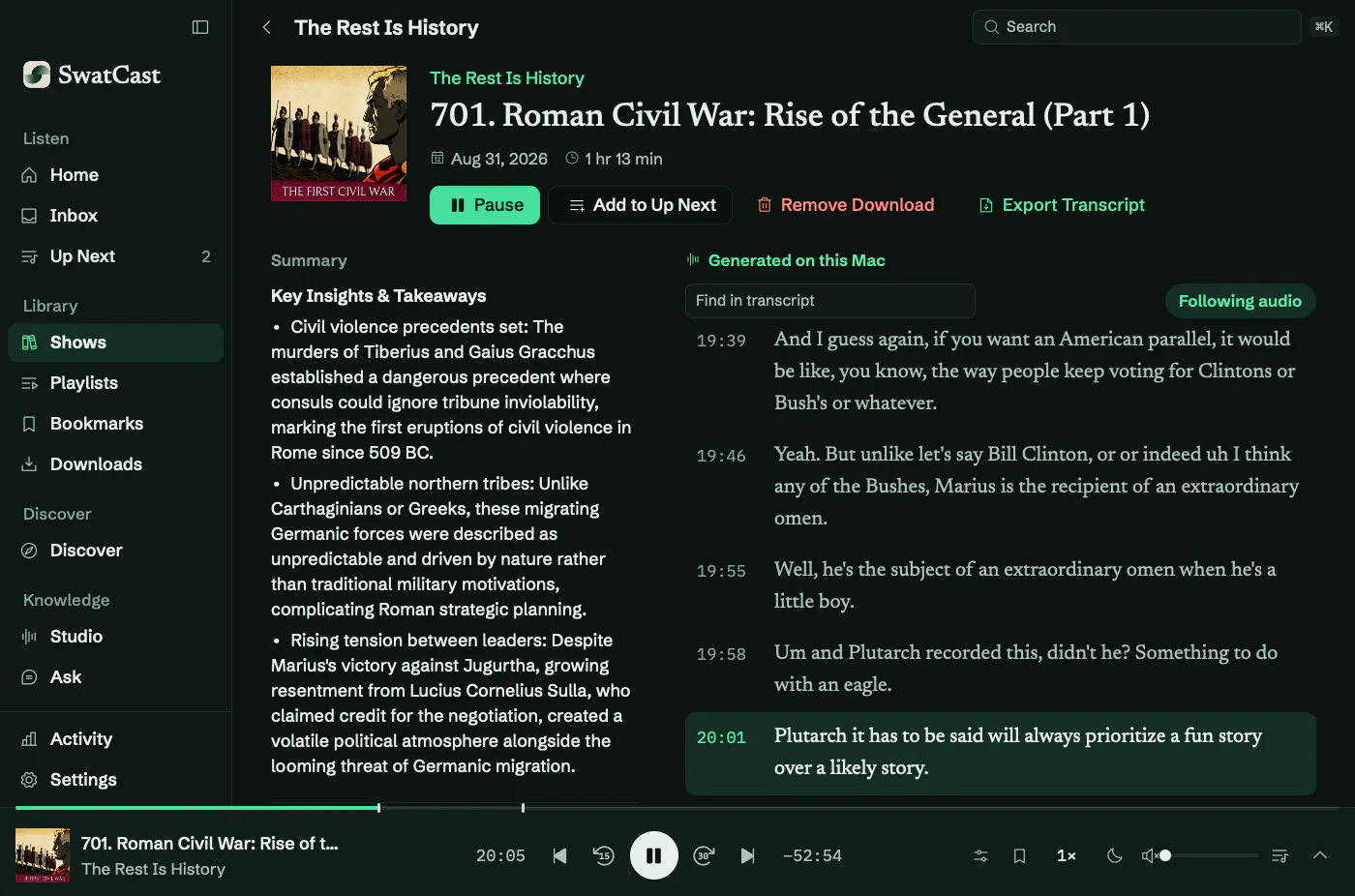
The reader labels text Provided by the publisher or Generated on this Mac. When both exist, you can switch between them.
Publisher transcripts
Section titled “Publisher transcripts”A publisher transcript does not need the speech model. SwatCast fetches it when you open the episode or its Now Playing screen. Fetch again checks for corrections.
Timed text follows playback and lets you select a line to jump there. Untimed text remains readable and searchable but cannot seek or supply bookmark quotes.
Publisher text also works with Ask and summaries, which need a language model.
Generate a transcript
Section titled “Generate a transcript”Install the speech model in Studio, then select Transcribe on an episode. Processing runs on your Mac’s Neural Engine. Finished transcripts include word timings and become searchable.
An episode that isn’t downloaded is downloaded first, and that file is kept as its download, so playback uses the exact audio the transcript was made from. It counts as an automatic download: your storage limit and cleanup rules remove it like any other.
Generated and publisher transcripts are stored separately. Automatic transcription skips episodes that already have a timed publisher transcript.
Read along
Section titled “Read along”Enable Settings → Playback → Follow along in transcripts. Scrolling pauses following; use the reader’s following control to resume it. Select a timed line to seek, or use the reader’s search controls to move between matches.
When the audio is a different copy
Section titled “When the audio is a different copy”Many shows insert ads when the audio is fetched, so two copies of the same episode can have ads of different lengths, and everything after an ad shifts. A transcript remembers the length of the audio it was made from. If the copy playing is a different length, the Transcript tab says so. When the episode is streaming but has the download the transcript was made from, it offers Play Downloaded Copy; otherwise it offers Transcribe Again. Older transcripts have no saved length, so they can’t warn; transcribe one again if its text runs ahead of or behind the audio.
See transcript troubleshooting if text is missing or does not follow.