
Run Studio
Studio (⌘9) manages transcription and summaries. The first time, Studio asks you to start the 30-day trial, buy a license or enter a key, then offers the speech model for transcription and a language model for summaries. New transcripts and summaries need the 30-day AI trial or an AI license; the transcripts you already have stay readable and searchable either way.
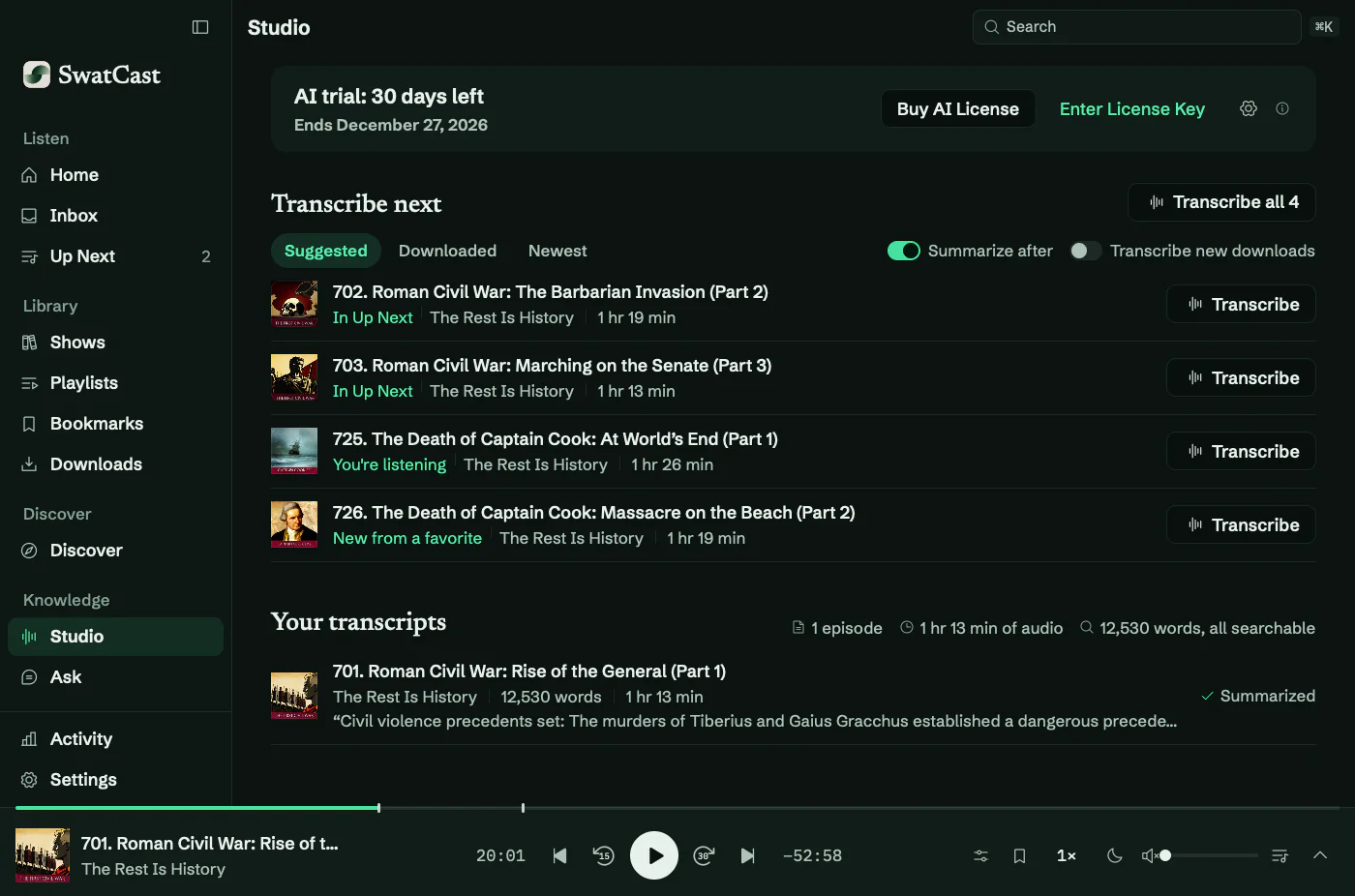
Process episodes
Section titled “Process episodes”- Choose an episode under Transcribe next, or open an episode and select Transcribe.
- Use Transcribe all to queue the current suggestions.
- Keep listening while Studio works through one job at a time.
Suggestions include Up Next, episodes in progress, downloads, and new episodes from favorites. Each explains why it appears.
To stop a job, select Cancel next to its progress: in Studio (Stop for the running one, × for waiting ones), on the episode page, or in Now Playing’s Transcript tab. Nothing from a cancelled job is kept, and you can start it again later.
The queue is saved between launches. Interrupted work is recovered when you reopen the app. Finished transcripts become searchable and appear under Your transcripts.
Automate it
Section titled “Automate it”In Settings → Local AI, enable Transcribe new downloads or Summarize after transcribing as needed. Automatic transcription skips episodes with timed publisher transcripts. It runs only while the trial or a license is active and never starts the trial by itself.
When the trial ends
Section titled “When the trial ends”A job already running finishes and is saved. Waiting jobs stay in the queue, marked Paused, and continue once you activate a license. Studio shows Buy AI License and Enter License Key where the Transcribe buttons were.
Clear summaries asks before deleting generated summaries. Transcripts and audio remain.
For missing text, see transcript troubleshooting.