
Playlists
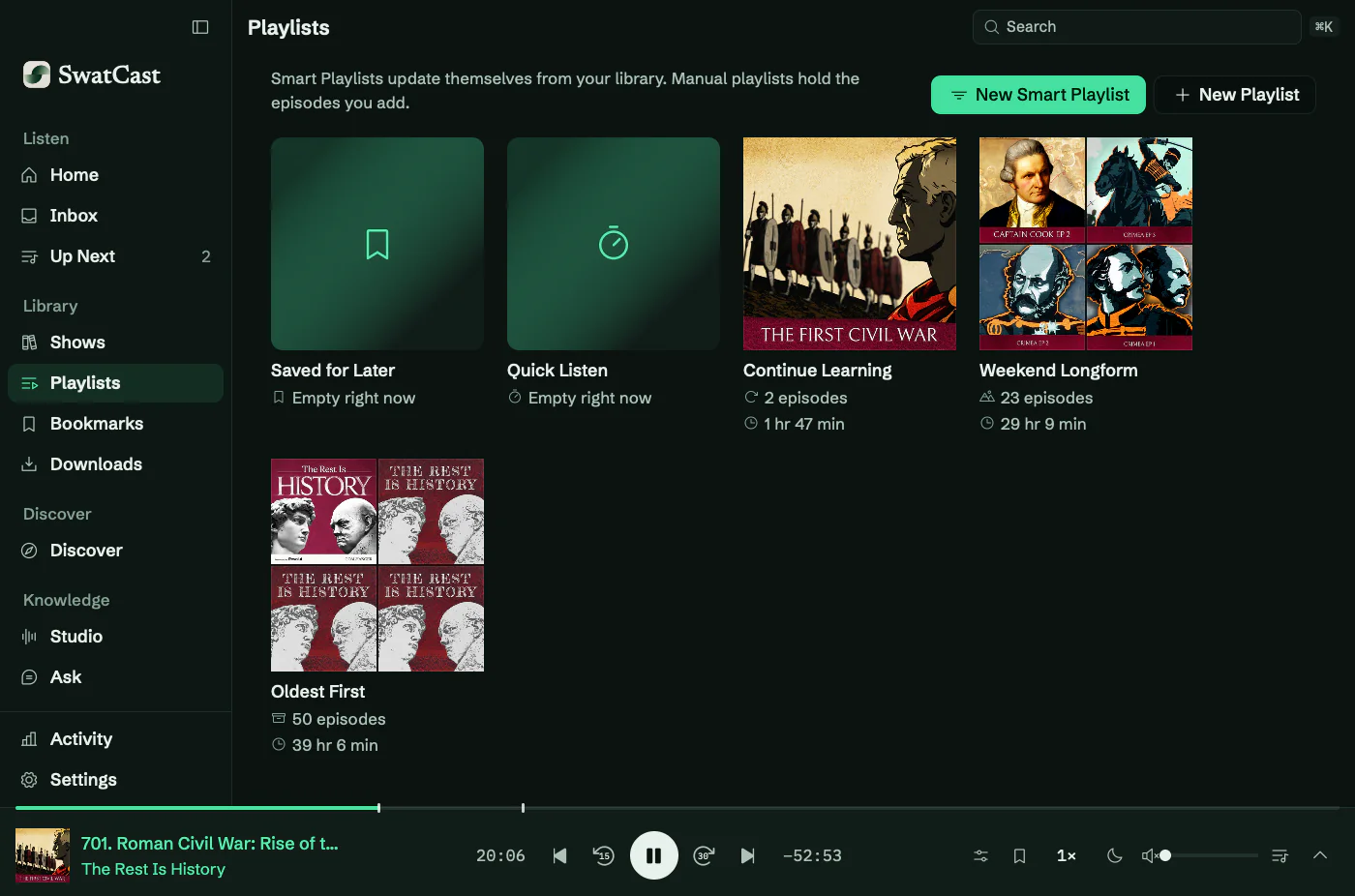
Playlists (⌘5) contains Smart Playlists, manual playlists, and Saved for Later. Playing a playlist does not change Up Next.
Choose a list
Section titled “Choose a list”| Kind | Contents |
|---|---|
| Smart Playlist | Episodes matching rules |
| Manual playlist | Episodes you add, in the order you choose |
| Saved for Later | Episodes saved from a row menu |
Four editable starters are included: Quick Listen, Continue Learning, Weekend Longform, and Oldest First. Saved for Later is built in and cannot be deleted.
Smart rules
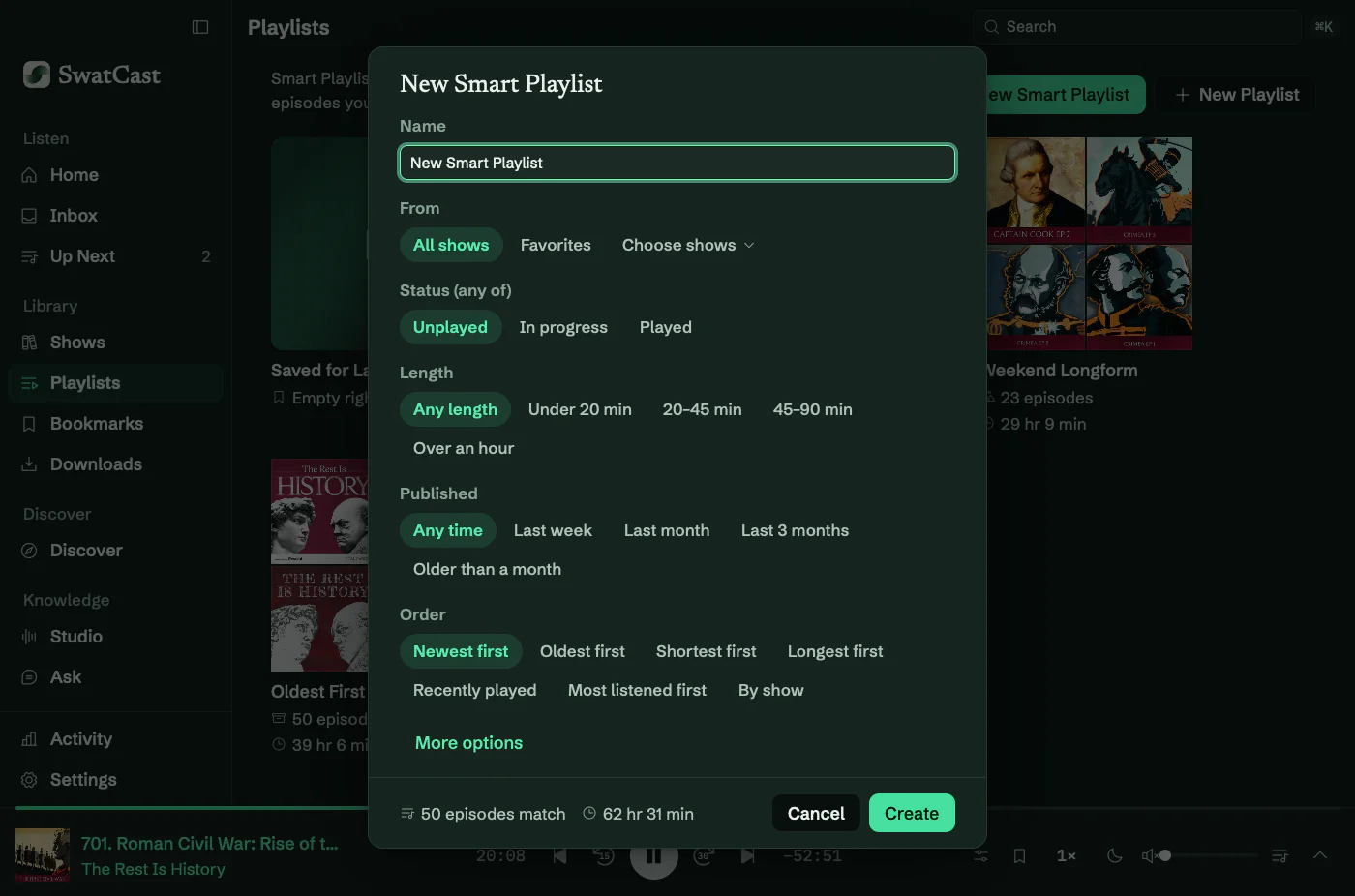
Section titled “Smart rules”Press ⌘N or select New Smart Playlist. Name it, set rules, check the live match count, then select Create.
| Rule | Options |
|---|---|
| From | All shows, favorites, or selected shows |
| Status | Unplayed, In progress, Played |
| Length | Any, under 20 min, 20 to 45 min, 45 to 90 min, over an hour |
| Published | Any time, last week, last month, last 3 months, older than a month |
| Order | Newest, oldest, shortest, longest, recently played, most listened, by show |
| More options | Downloaded only; maximum 10, 25, 50, 100, or no limit |
Most listened sorts by the share heard. Choose shows opens a searchable list of followed shows.
Play or queue
Section titled “Play or queue”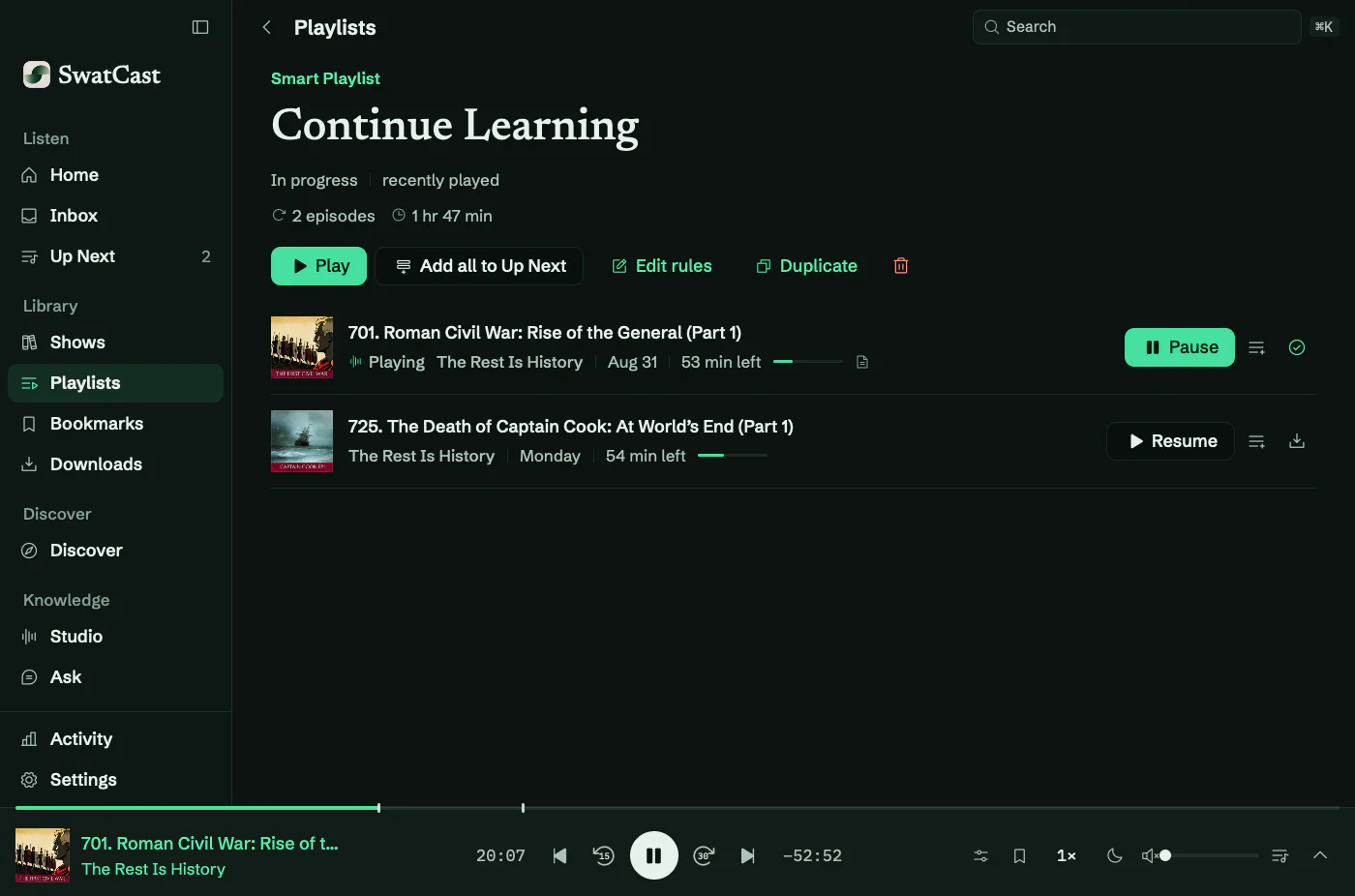
Play starts a listening session ahead of your saved queue. When it finishes, Up Next continues. Playing something else ends the session.
Add all to Up Next appends matching episodes, skipping duplicates and the current episode.
Edit and organize
Section titled “Edit and organize”Use Edit rules, Duplicate, or Delete on a Smart Playlist. For manual lists, choose New Playlist, add episodes from their row menus, then use Move up and Move down to reorder.
Deleting a playlist leaves its episodes in the library. See the Smart Playlist tutorial.