
AI trial and license
The podcast player is free. On-device AI (new transcripts, summaries and Ask answers) is free to try for 30 days, then needs a one-time AI license.
What stays free
Section titled “What stays free”Playback, downloads, Sound, Silence Skip, playlists, bookmarks, publisher chapters and publisher transcripts, search, backups and exports never need a license.
When the trial ends, everything AI already made stays: transcripts, summaries, quotes, read-along, transcript search, Markdown export and the Ask conversation on screen. Only making new ones stops.
Start the trial
Section titled “Start the trial”The trial needs no account, email or card, and makes no network request.
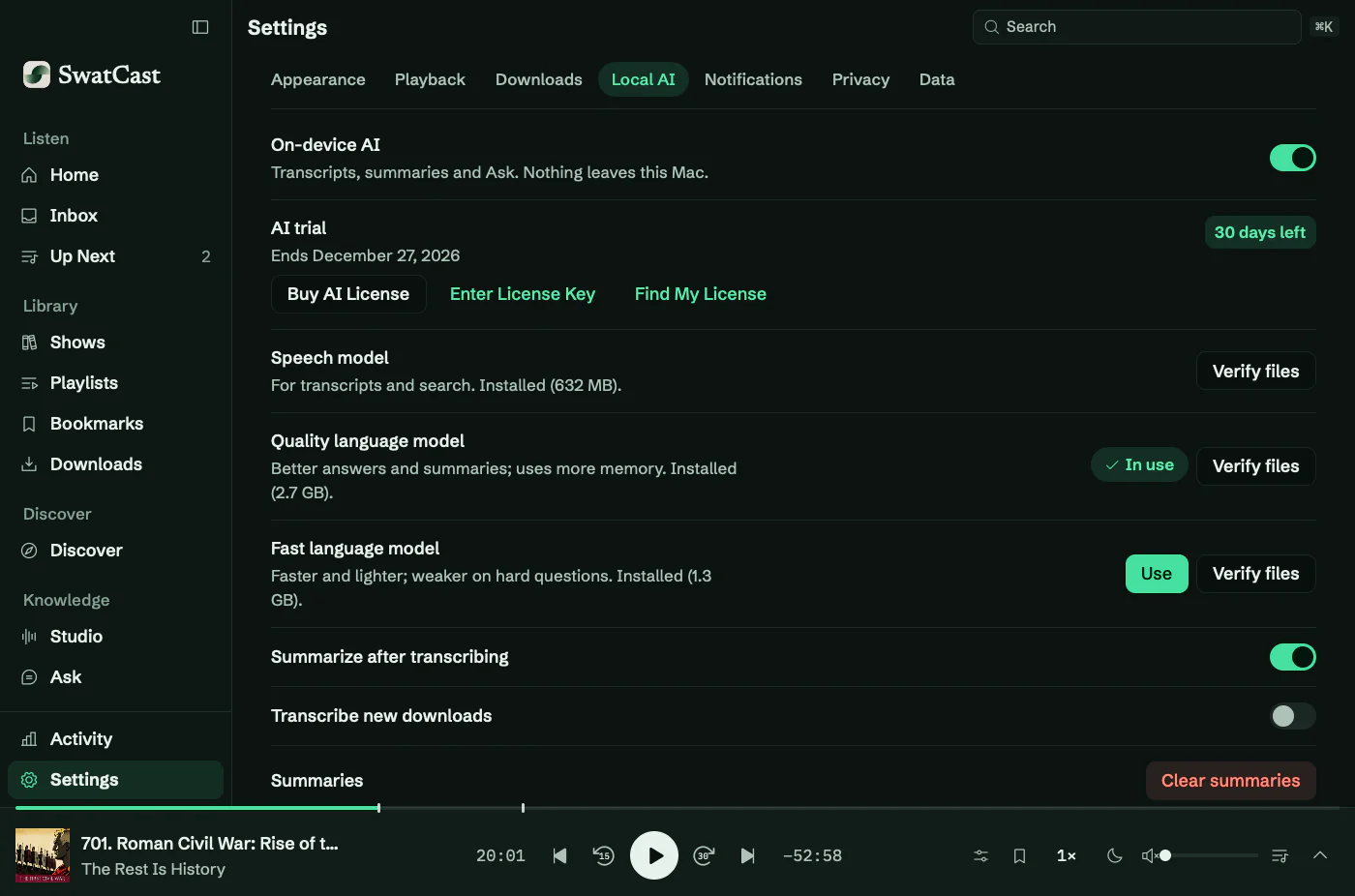
The first time you open Studio or Ask, they offer Start 30-Day Trial, Buy AI License and Enter License Key; you can paste a key right there. Once the trial is running or the license is active, they offer the model downloads. You can also start the trial in Settings → Local AI, or by confirming the prompt the first time you select Transcribe or Summarize. The 30 days begin as soon as you start the trial; installing SwatCast doesn’t start it.
The trial lasts 30 calendar days, to the second, including days SwatCast is closed. Studio and Settings → Local AI show the days left and the end date. Automatic transcription of new downloads runs only while the trial or a license is active, and never starts the trial.
Work already running when the trial ends finishes and is saved. Jobs still waiting in Studio pause and resume after you activate a license. A summary queued after a transcript counts as new work.
Buy a license
Section titled “Buy a license”- Select Buy AI License. Polar’s checkout opens in your browser.
- Complete the purchase. Polar emails you a link to your purchase; your license key is there and in Polar’s customer portal.
- Back in SwatCast, select Enter License Key, paste the key, then select Activate.
You can buy and activate before the trial ends. The license is a one-time purchase for this version of SwatCast, with no subscription.
Activate and work offline
Section titled “Activate and work offline”Activation is the only time SwatCast checks your license. It sends the key, SwatCast’s seller ID and a generic name for this Mac, such as “Mac 7KQ2XD”, to Polar once. The activation is then saved in your login keychain, and SwatCast never checks the license again: AI keeps working offline, with no launch, weekly or per-use checks.
Entering the same key again on the same Mac uses no extra activation. A key can be active on up to five Macs.
Move to another Mac
Section titled “Move to another Mac”On the Mac you no longer use, open Settings → Local AI and select Deactivate This Mac while online. The activation is released and the key can be used elsewhere. Your library, transcripts and models stay; if the trial is still running, it continues until its original end date.
If that Mac is gone, select Manage Activations (or Find My License) to open Polar’s customer portal. Sign in with your purchase email and the one-time code Polar sends, then remove the old activation or copy your key.
Problems
Section titled “Problems”| Message | What to do |
|---|---|
| The key is already activated on the maximum number of Macs | Deactivate an old Mac, or remove it in the customer portal. |
| Polar didn’t confirm the activation | Check the customer portal before trying again; remove this Mac there if it’s listed but SwatCast isn’t activated. |
| Your login keychain is locked | Unlock it, then select Try Again. SwatCast never forgets a license because of this. |
| This version of SwatCast can no longer activate licenses | Update SwatCast. Licenses already activated keep working. |
| Couldn’t reach Polar | Connect to the internet and try again. Nothing was activated or released. |
See Privacy for exactly what activation sends.